Archive for the 'Software' Category

Sony Alpha A350 ships — Adobe pulls ACR update

Wednesday, March 26th, 2008

Sony has started shipping the Alpha A350. I took delivery of one of the big orange boxes last week and have started putting the A350 through it’s paces. So far, I am fairly pleased with the 14m dSLR — I will post a review with samples shortly.

I had hoped to update my copy of Adobe Lightroom to version 1.4, which is required to read the RAW files from the Sony Alpha A350, A300 and the A200 as well as several other new cameras. Unfortunately, Adobe posted the update for only a few hours. If you click on the link to update to 1.4, you get the message:

The Lightroom 1.4 update has been temporarily removed from the Adobe.com web site in order to allow time for additional investigation into several bugs that were discovered after the update was released.

Adobe hasn’t said when the revised 1.4 updater will be available, but until they get their act together, I won’t be able to process my A350 RAW files in Lightroom. This limitation also applies to Adobe Camera Raw, meaning at this point there is no way to edit A350 RAW files with an Adobe product.

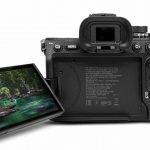
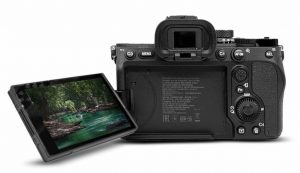
New tilt live view

Sony has started shipping the A350 model, with the similar A300 to come shortly. Don’t expect to edit RAW files in Lightroom/ACR until Adobe perfects the latest update to ACR.

My fall back has been Sony’s Image Data Converter and Lightbox SR which shipped with the A350. The two programs do a credible job, but I know exactly what to expect from LR. It will take some time to become comfortable with editing in with the Sony software. In addition, the Sony software does not recognize my older Minolta RAW files, so I require two different sets of software to work with my image collection. Grrr. I hope Adobe fixes the bugs in 1.4 soon.

Of course there is another solution: Apples’ Aperture. Frequent Alphatracks contributor Bert Pasquale has been playing with Aperture 2.0 and he seems more than happy with it. He writes:

Apple released a RAW Compatibility update, adding new RAW conversion support into Aperture 2.0 & iPhoto ‘08 for the new Sony DSLRs. The update includes new support for several manufactures. (If you’re using a $25k Hasselblad, you’ve also been given the keys to the Apple workflow!)

The interesting thing is, this is the first time Apple has released RAW processing updates apart from a system update. This is very significant, as it answers the question of how quickly Apple can support new cameras: “Whenever they want” - potentially even before a new model hits the street. If so, Apple could finally make good on their 2006 “Mac Guy” ad of instant Mac-Camera hand-in-hand coziness and language fluidity.

Also note that the Flash Gallery Exporter Plug-in has been recently updated with new gallery codes and is compatible with AP2 and iPhoto ‘08. I am currently using it to upload model portfolio shoot proofs of 7D/A100/A700 RAW files I’ve been re-processing with better results in AP2.

Sincerely,

- Bert Pasquale

Let me think about this. Aperture and iPhoto are more or less niche products in Apple’s product line. They help with the bottom line, of course, but they are far from Apple’s main bread and butter. On the other hand, Photoshop is Adobe’s crown jewel. They make a lot of cash from other sources, but Photoshop is their premier product.

So how is it that Apple appears to effortlessly produce an update that supports the latest cameras well in advance of their release date, while Adobe’s can’t ship it’s famed Camera Raw software until after the new models hit the street? For that matter, why did Adobe release an ACR/Lightroom update that was so filled with bugs that almost a week afterwards they still haven’t been able to fix it?

Hi! If you're new here, you may want to subscribe to my RSS feed. You can also sign up to receive e-Mail updates from the homepage at http://alphatracks.com Thanks for visiting!

Sony Alpha A700 RAW files now native in Mac OSX

Tuesday, February 19th, 2008

Our friend Bert Pasquale is back, and he is excited about the Mac OSX 10.5.2 native support of A700 RAW files. What follows is Bert’s enthusiastic report of 10.5.2’s handling of A700 ARW files, as well as a look at Aperture 2.0 If the terms Sweet, Nice and Very Nice are any indication. Bert is pretty happy about the update.

Sony Alpha A700 files (RAW and cRAW) now natively supported in Mac OSX 10.5.2; Aperture 2.0 Free 30-day trial available.

New Sony A200

Latest 10.5.2 OSX upgrade will offer native support for A700 RAW files.

Photo: Courtesy of Apple Inc.

If you’ve been having to use the included SONY software or Adobe Camera Raw the past couple months to open and process your A700 ARW files, you now have options of using any Mac-native image software. Thanks to the 10.5.2 update, many new RAW formats are recognized. (Use Software Update to install the latest components.) You can view them in Preview, sort them in iPhoto, or fully process them in Aperture. Speaking of which…

Not by coincidence, Apple released Aperture 2.0 the day after the 10.5.2 update, boasting “100+ new features.” I’ve just taken a look and it seems very promising — yet to determine if it will win me back from the Adobe Bridge/Lightroom workflow. I’m using it to process a batch of portraits I recently shot; here are initial impressions of features not to overlook:

  • All image info and adjustments are consolidated in a single pane, which can float over full-screen images as a breakaway HUD. Nice.
  • SPEED. Option for thumbnail-only previews so far eliminates spinning beach balls. Very nice.
  • Much improved RAW processing algorithm with many new parameter controls. (Similar to current ACR offerings.)
  • Eyedropper selection of 6 specific hues to adjust. Sweet.
  • Allows for retouching (healing & stamp functions) without going to Photoshop.
  • Access to iPhoto library w/o having to re-import, iPhoto 08 features such as rollover library views and integration to .mac web galleries.
  • Integration with the rest of iLife/iWork apps, iPod sync, etc…

For a full-immersion of what AP2 is capable of, visit http://apertureprofessional.com The real test will be how developers do providing additional plug-ins.

- Bert Pasquale
Optical Engineer,
Photographer, LifeStoryImages.com

I’ll save you the trouble of searching for Apple’s Press Release to see everything included in Aperture 2. You can read it here:

Apple Releases Aperture 2

Major Upgrade Features Improved Interface, Faster Browsing & Enhanced Image Processing

CUPERTINO, California—February 12, 2008—Apple® today introduced Aperture™ 2, the next major release of its groundbreaking photo editing and management software with over 100 new features that make it faster, easier to use and more powerful. With a streamlined user interface and entirely new image processing engine, Aperture 2 also introduces new imaging tools for highlight recovery, color vibrancy, local contrast definition, soft-edged retouching, vignetting and RAW fine-tuning, and lets users directly post their portfolios on the .Mac Web Gallery* for viewing on the web, iPhone™, iPod® touch and Apple TV®. At a new low price of $199, anyone can easily organize, edit and publish photos like a pro.

Aperture 2.0 box

Aperture screen shot

Apple is fighting back in the RAW workflow wars with the greatly enhanced Aperture 2.0

Photo: Courtesy of Apple Inc.

“Many of the most respected photographers on assignment all over the world trust Aperture to organize, edit and deliver their images,” said Rob Schoeben, Apple’s vice president of Applications Product Marketing. “With its simpler interface and lower price, anyone can take full advantage of Aperture’s power.”

“At the end of the day, it’s all about the quality of the image,” said Sports Illustrated contributing photographer David Bergman. “Even before I begin making adjustments, Aperture’s new RAW processing gives me better images with more visible detail and better color rendering than any other program I’ve tested.”

“I used to have so much stress about post-production on a shoot, having to juggle multiple applications to make sure they all worked,” said Bob Davis, PDN Top Knots Wedding Photographer 2007. “With Aperture that’s no longer a factor. I can do everything all in one application.”

Featuring a new, easier user interface designed to be more intuitive and accessible, Aperture 2 now lets users navigate between Viewer and Browser modes with a single key command. Screen real estate is maximized for images with an all-in-one heads up display that allows users to toggle between library, metadata and adjustment controls in a single tabbed inspector. The All Projects view, modeled after iPhoto’s Events view, provides a poster photo for every project and the ability to quickly skim through the photos inside, and the integrated iPhoto® Browser offers direct access to all the events and images in the iPhoto library.

Performance has been enhanced in Aperture 2 so it’s faster to import, browse and search large volumes of images. Embedded previews let photographers caption, keyword and rate images as they are being imported, and with the ability to export images in the background, photographers can continue working while images are processed to JPEG, TIFF, PNG and PSD file formats. Quick Preview allows users to browse RAW images in rapid succession without having to wait for files to load, and the Aperture library database has been re-architected to provide fast project switching and near instantaneous search results, even when working with extremely large libraries of 500,000 images or more.

Aperture 2 delivers powerful new imaging tools for getting the most out of each photograph. Apple’s next-generation RAW image processing is at the core of Aperture 2 offering uncompromising image quality and precision controls that let users fine-tune the image profile for each of their cameras. New tools for improving and enhancing images include Recovery for pulling back “blown” highlights, Vibrancy for selectively boosting saturation without adversely affecting skin tones, Definition, which offers local contrast for adding clarity to images, Vignette & Devignette filters for providing professional visual effects and a true soft-edged Repair and Retouch brush for quickly and easily removing blemishes, cleaning up sensor dust and cloning away problem areas.

Aperture 2 works seamlessly with Mac OS® X, iLife®, iWork™, .Mac and Apple print products, so any image in the Aperture library can be accessed directly from within other applications, such as iMovie®, Keynote® and Pages®, and even from within Leopard™ Mail. Now with .Mac Web Gallery support, Aperture users can publish their photos once to view them on the web, iPhone, iPod touch and Apple TV. Books in Aperture 2 feature new theme designs, layout tools, customized dust jackets (including full-bleed) and foil stamped covers.

Pricing & Availability
Aperture 2 is available immediately for a suggested retail price of $199 (US) through the Apple Store® (www.apple.com), Apple’s retail stores and Apple Authorized Resellers. Owners of previous versions of Aperture can upgrade to Aperture 2 for just $99 (US). Full system requirements and more information on Aperture 2 can be found at www.apple.com/aperture.

* The .Mac service is available to persons aged 13 and older. Annual membership fee and Internet access required. Terms and conditions apply.

Technorati Tags:
, , , ,

Will the Alpha A300 be the next SLR from Sony?

Thursday, January 24th, 2008

Ok, the Sony A200 dSLR hasn’t even started shipping yet, but already the rumor mill is racheting up into a fever pitch. The majority of the rumors are claiming Sony will introduce at least one or perhaps two new dSLRs slotted between the A200 and the A700. The new cameras, which the rumor sites have started identifying as the Alpha A300 and A500 models, are supposedly designed to provide Sony with a full range of dSLRs and offer Alpha-mount users a series of competitive price points.

Of course, Sony hasn’t even told us that the flagship SLR will be called the A900, although most camera pundits are already calling it by that name. They haven’t said that there will be an A300 or an A500 or any camera between the A200 and the A700. Then again, Sony didn’t tell us much about the A700 before it’s release and they certainly didn’t tell us anything about the A200 before the announcement. In this matter, it seems Sony is patterning itself after Apple, Inc. Apple’s Steve Jobs is famous for keeping an extremely tight lid on future products and the Mac rumor sites drive their readers crazy trying to guess what Apple’s next move will be. It isn’t difficult to draw a parallel to Sony’s dSLR camera division, which seems more secretive than the other top-ranked digital SLR camera makers.

Alpha A100

What’s next for Sony’s Alpha dSLR lineup?

So the rumors could have at least a grain of truth to them. There are even “leaked” photos of the supposed middle of the road cameras. You can see one set of leaked A300 photos at Photogrqphy Bay. Slash Gear offers the same tilt out, LCD Live View Alpha A300 photos.

Of course, in the days we find ourself in, photos are hardly overwhelming evidence. You can create some very convincing fakes in Photoshop, especially if you mix parts of various existing cameras. In the Apple Inc. rumor scenarios I mentioned, there have always been dozens of very well done, fake images floating around, especially before an upcoming product launch. Even some big name media outlets have published these fake photos as the “real thing,” then they had to swiftly backpedal when the actual Apple announcement was made.

So I am not going to speculate too deeply about the supposed new models, other than to wonder if there is a valid reason for Sony to offer any models between the A200 and the A700.

On the face of it, I don’t understand why Sony would need a fist full of camera models. To my mind, the A200, A700, A900 lineup seems to cover most dSLR users. If anything, I think Sony could use a stripped down dSLR model priced beneath the A200 that would coax more point and shoot users to move into a dSLR. At the same time. however, I am perfectly willing to concede that Sony has their own strategy for the Alpha line and they are more qualified then I am to plan their future dSLR offerings.

Minolta, of course, offered a plethora of models once they started to flesh out the A-mount line. If you check out Mike Hohner’s great Sony/Minolta Auto Focus body list, you will see that Minolta sold models to fit every possible need and price range. Did consumers really demand that many different SLR bodies? Apparently Minolta thought they did.

Details are sketchy, but the supposed leaked images show a camera similar to the A200 with a tilt out LCD screen. The implication is that the new model(s), if they are real and not some Photoshop wizard’s fantasy, will have Live View.

Now remember these are rumors we are talking about here — not confirmed facts. Shortly before the A700 was launched thee were some very respectable camera writers suggesting that the Advanced Amateur dSLR (which was released as the A700) would have 14mp and feature a 1.25 crop sensor. Neither came to pass, the A700 uses a very respectable 12mp, APS-C sensor. But many enthusiasts were disappointed that the camera did not live up to the rumors. If you are going to play the rumor game, you have to accept that fact that some, if not most, of the information will be inaccurate. That’s just the way it is.

Having said that, a lot of Alpha enthusiasts are speculating that Sony will release a new dSLR model priced around $1,000 US — smack in between the A200 and the A700.

Hmm… That places the mystical A300/A500 about $300 or so more than the A200. It could happen…but what exactly could Sony tack on to the A200 to make it worth three hundred more than the A200?

Live View? Maybe that is worth three bills to some people — it certainly isn’t to me. There are a few legitimate uses for Live View, but I would guess I would use Live View for less than 5% of my shooting. Is that worth $300 to you?

The other laughable suggestion is that Sony will equip the fictional $1,000 camera with a larger sensor…maybe the same 12.7MP sensor the A700 uses.

I ask you, if Sony suddenly unleashed a 12mp dSLR priced at a grand (list), what role would the A700 play in the Alpha line up? If you had the chance to buy an A200 style body with the sensor from the A700 at $1,000, would you ante up the extra $500 or so for an A700? Maybe some would, because the A700 is definitely a superior camera. For most users, however, the thousand buck 12mp dSLR would do nicely, effectively cannibalizing sales of the A700.

There are, of course, some limitations to the A200. AFAIK, there is no PC sync port and it doesn’t offer provision to tether the camera to a computer. I could be wrong on both counts, because the Sony A200 press release doesn’t address these issues. But I don’t see evidence of a PC port in the advance photos and the Alpha A100 lacked these features, so I am assuming the replacement will as well.

Would an 10mp A-mount SLR with Live View, PC sync and tethered shooting be worth $300 more than the A200? I’m not sure, but it would definitely be a step in the right direction. What’s your take on the A300/A500 rumors?

Technorati Tags:
, , , , , , ,

Hydra: Save on new Mac HDR photography tool

Monday, January 14th, 2008

If you been interested in experimenting with High Dynamic Range (HDR) Photography, but haven’t yet acquired the software to create HDR images, this is an excellent time to get started. Creaceed (formerly known as eX-cinder) is about the unleash Hydra, an elegant Mac-only HDR program. Of course there are other Macintosh HDR programs available, but Hydra looks like it offers cutting-edge features at a very affordable price. Hydra will list for $59.95, but if you license it before February 1, 2008, you can pickup Hydra for only $39.95.

High Dynamic Range Photos

If you are not familiar with HDR photography, the process involves combining several images taken at different exposures to create a single image. The final image contains a full range of details from highlight to shadow. The human eye can see details across a much broader range than any film or digital sensor. You can stand inside a dim room and see both someone in the room and the scenery out the window. In most cases, a camera can only capture the details inside the room or the details outside the window. If you expose for the room, the window will be washed out with no details. Expose for the sun-lit window and the room will appear dark and shadowy. Until recently, it would require multiple exposures and lots of retouching to accomplish the same thing in a photo.

The Dynamic Range Optimizer (DRO) engine included in all the Sony Alpha dSLRs provides a form of in-camera HDR. While DRO is a step in the right direction, I think a true HDR photo offers a number of advantages.

Hydra is Leopard only

I haven’t been able to try Hydra out as yet, because won’t be available for download until sometime this week. Apparently Creaceed will take the wraps off the new program at Macworld and make it available for download at the same time. Accordingly to the website, there will be a evaluation version available, so you can try it out before parting with that $39.95. Before you get too excited, be aware that Hydra only runs on OS X 10.5 Macs, so if you haven’t upgraded to Leopard yet, this program isn’t for you.

I’m emphasizing the price, because the leader in HDR applications is Photomatix Pro 2.5.4, which lists for $99.00. The latest version of Photoshop also includes some HDR tools, but Photomatix Pro is generally considered superior. If Hydra can approach the quality of Photomatix Pro, then that $39.95 introductory price makes it a real bargain.

Although I haven’t been able to get my hands on a working copy of Hydra as yet, the Creaceed website has some interesting preview videos. I won’t go into the details here, because it is worth your while to explore the Creaceed website and watch the videos.

From the videos, I’m excited about the Hydra’s possibilities. You can blend up to four images, which is less than some of the other applications I’ve tried, but should provide plenty of data for most HDR creations.

Like any good Mac application, Hydra supports drag and drop, so it is a simple matter to drag your images into the working screen. Interestingly, Creaceed has included matching tools that allow you to blend a series of hand-held images into a single HDR image.

HDR without the tripod?

This last point is important, because the general HDR workflow involves taking a series of images on a tripod, exposing each one differently to record the full range of highlights and shadows. Creaceed claims their matching mode will allow you to create a HDR photo from a series of hand-held shots. Basically, the application allows you to manually move the stack of images around to match them, then uses a software routine to attempt to line everything up perfectly. I can’t say how well this works, but I am intrigued. The ability to create hand-held HDR photos could go a long way toward making HDR more attractive to general photographers. Overall, I’m taking this with a grain of salt. I want to try it before I endorse the HDR-without-a-tripod claim.

Hydra also gives you a full preview of the blended images and allows you to adjust each image to obtain the HDR details you want. You have to watch the blending video to see this in action. It looks very cool and I am looking forward to creating some custom HDR photos with this advanced blending option.

In the right hands, HDR can be stunning

Some people don’t like HDR photos, because, like any new photographic process, early users tend to overdo the effect. We’ve all seen HDR photos that looked fake, surreal or disturbing. In the hands of a photographer/retoucher with a good artistic eye, however, HDR photos can be truly stunning. Try searching on Flickr for &qte;HDR&qte; and see what come up. You will see many poorly done, over-the-top examples, but you will also find some incredible images that will take your breath away. Consider this nighttime HDR image of a Russian submarine by Alkhodarev. (Note: This image opens in a new, full-screen window.) Of course, I doubt Alkhodarev used Hydra to produce this image — the application isn’t even available until later this week. As example of a beautifully done HDR image, however, this image is second to none.

Of course you don’t want want to shoot everything in HDR. There are plenty of subjects and lighting conditions that don’t lend themselves to HDR. Yet, I believe that HDR and DRO images will become more and more common in the years ahead. If you want to see what all the fuss is about, check out the Creaceed website and download the Hydra demo when it becomes available. For less than $40, you can start experimenting with High Dynamic Range and see what you can do with this fairly new medium. If you have a Leopard equipped Mac, I think Hydra is well worth acquiring at the intro price.

Technorati Tags:
, , , , , ,

Adobe updates Lightroom to 1.2: includes A700 support

Sunday, September 16th, 2007

Last week, Adobe upgraded Adobe Photoshop Lightroom, bumping the latest version to 1.2.

The changes are mostly bug fixes, including:

improving import of catalogs to new catalogs, performance improvements regarding XMP metadata, fixed bugs involving Windows thumbnail display, fixed a bug involving the Macintosh web module, and a long list of other minor fixes.

The new version also includes support for several new digital cameras, including the new Alpha A700 dSLR.

The last is encouraging, as Sony and Adobe must be working closely to ensure that the A700, which hasn’t’ started shipping yet, is already supported in Lightroom.

Unlike the upgrade from Lightroom 1.0 to 1.1, I found the upgrade from 1.1 to 1.2 smooth as silk. The 40mb download took several minutes, even with a fast internet connection. Once downloaded, however, the actual upgrade was painless, taking less than a minute to upgrade the version on my G4 Powermac.

I’ve been working with the upgrade for a couple of days now, with no problems.

Presumably, Adobe Camera Raw, which is the raw processor included in Photoshop, has also been updated to support the A700.

Now if only I had an A700 to test with…

Download the Lightroom upgrade from Adobe here:

Got an Alpha A100? These guys want your help

Tuesday, September 11th, 2007

Help discover DRO secrets

Interesting thread on the DPreview Sony SLR talk forum. Seems some of the forum members are casting around for a method to create a new software plugin that would allow users to edit DRO photographic images in Photoshop.

DRO is the Dynamic Range Optimizer used by the Sony Alpha A100 camera. We are expecting an enhanced version in the new Alpha 700 dSLR. Similar to an in-camera HDR tool, DRO attempts to allow the camera to display a much greater dynamic range. Thus in contrasty lighting conditions, your image can show more details in the shadows without blowing out the highlights.

DRO differs from HDR in that it is done in-camera, while HDR images are created in computer. With HDR you take a series of bracketed exposures then use software to combine the best exposed areas of each bracketed shot into a single image. Sometimes the images are hokey looking, but done correctly they can be stunning.

Looking for a few good Sony Alpha A100 owners

The original poster of the thread is asking for A100 owners o help him derive the algorithm used by the A100’s DRO system. Whether anything will come of this — or whether a DRO manipulation plugin is really necessary - I’m all for it.

One of the ways to determine the health of camera community is to watch for users making hacks, mods and tweaks to their photo gear. If there is a low amount of this sort of thing, the community isn’t thriving. If users are banding together to share information and help one another create modifications to their cameras and lenses, you can bet that is a growing community.

Sometimes camera makers frown at this sort of thing, but they really should appreciate how an active community can boost sales and brand awareness. Canon seems to be blessed with a number of active camera hackers, and it hasn’t seemed to hurt their bottom line. There was even a well publicized case where someone figured out how to hack the firmware on the original Digital Rebel to give it capabilities that were only available in higher priced models.

Camera hacking is healthy

That might sound like it could hurt the sales of higher priced cameras, but I expect that Canon got a tom of PR out of that exploit. At the same time, many users didn’t dare to apply the homebrew frimware hack, for fear they could end up with a unusable camera. So even people who didn’t own a digital Rebel (like me, for instance) heard about the hack, creating lots of brand awareness. But few people were willing to forgo buying the higher priced camera by taking a chance on messing up a perfectly good Rebel. It was all good for Canon.

So I welcome any homebrew experimenters willing to tinker with the Sony Alpha or Minolta Maxxum dSLRs. That’s how cameras get to be classics. The hackers start experimenting and share their findings on the web. Other users apply what they learned from the hackers and start improving their gear and their photography. Still others are intrigued and start their own experimenting and tweaking. The word gets out and it seems like everyone is modding their cameras. Or their lenses. Or their software. More equipment get sold, used gear retains value and the brand achieves cult status.

Like I said, nothing may come of this particular experiment. But it is a healthy indication. Sony would do well to encourage more of this sort of thing.

Lightroom 1.1 upgrade: lengthy install is well worth the wait

Saturday, June 30th, 2007

Lightroom 1.1 is here (at last!) and it is proving a very worthy upgrade. Like many other photographers, I really like the new Clarity slider. The new catalog function finally allows you to add processed photos from your field laptop to the database on your main computer — although I think there is still room for improvement in this area. There are several other new enhancements; I’m still exploring everything that’s there.

If you haven’t upgraded as of yet, you need to know that the actual upgrade process took much longer than I expected. My main desktop is a PowerMac G4 — a little behind the curve, but still quite capable. After upgrading the application itself, you need to upgrade the database from LR 1.0. The read-me file instructed me to load my latest Lightroom library file. Problem is, I couldn’t locate any recent Lightroom library files. There were some from April, but nothing from the last week — or even the last month. This confused me, since I use Lightroom often, so I assumed I should have more up-to-date library files.

I did find several recent Lightroom database files identified as Lightroom Database.lrdb, with a date code prefix. Taking a chance, I tried opening the most recent one in LR1.1. Success! I’m not sure why Adobe’s documentation says to open a library file when on my G4 I needed to open a database file instead — but no matter. I was on the way to having a working copy of LR1.1.

Lightroom next needed to upgrade the library (database file) to work in LR1.1. The dialog box warned me that this might take several minutes,

What does the term several imply to you? Three? Five? Maybe fifteen?

Try 135. That’s how long it took to update the database into the new Lightroom catalog format. I don’t really care how long it takes to perform a major upgrade — as long as I know what to expect. If the process took a full 24 hours - I wouldn’t care as long as I knew upfront and could plan accordingly.

But several minutes doesn’t mean more than two hours — at least to me it doesn’t.

First the program informed me it was checking the integrity of the database. I have Lightroom configured to preform this check weekly — and it has never taken more than five or so minutes for the integrity check. This time it took over twenty minutes — making me nervous that there was a problem somewhere. At long last, however the integrity check finished and Lightroom began updating the database into a 1.1 catalog file.

The program uses the typical Mac progress bar. I was working on a laptop while the G4 was chugging away at the upgrade, so I glanced up now and then to see how the upgrade was going. Initially, the bar moved along at a slow but steady pace. After about ten minutes it reached the center of the bar area. “Great,” I thought. “It’s at the halfway point — should wrap up in another ten minutes or so.”

Then the progress bar stopped progressing. It just stayed at the halfway point, with no indication it had any intention of ever moving again. For over an hour, the bar didn’t budge. I could tell the G4 wasn’t locked up, because I could change to other programs. But there was no progress from Lightroom.

If I was new to upgrading computer software, I might have panicked at that frozen progress bar. Fortunately I’ve had experience upgrading a wide variety of hardware and software including Unix mainframes and Sun Sparc systems. I’ve had operating systems that took as long to upgrade — but I can’t remember an application that took 135 minutes for that task. As long as the Mac wasn’t locked up, however, I decided to allow he process to continue.

Suddenly — after the bar had been stuck in one place for over an hour — the entire progress dialog box closed. At first I thought the program had crashed, but seconds later LR1.1 launched with all my images intact.

Of course your mileage may vary. There are a lot of people who seem to be experiencing trouble upgrading to LR1.1 on the Adobe forums. I’m sure that many of these users do have legitimate problems with LR1.1. I have to say, however, I have had no real problems with Lightroom — either 1.0 or 1.1 aside from the lengthy database upgrade. And I wouldn’t have sweated that if Adobe had warned me it might take hours instead of minutes.

I wonder how many users who are experiencing difficulties simply cancelled the upgrade prematurely instead of waiting for the installer to complete its tasks. When and if you upgrade, I recommend allowing the installer to take as long as it wants. The upgrade is well worth the effort — don’t sabatoge your install by force quitting because it appears to be locked up!


Who is that guy?


Web designer and photographer Tom Bonner has three decades of experience with Minolta camera equipment

Hi. I'm Tom Bonner and I've been shooting with Minolta SLRs for over three decades.

Alphatracks is my attempt to follow Sony's maneuvers in the dSLR market, and at the same time provide a resource for Minolta film and digital SLR users. A-mount shooters have to watch each other's backs, because there aren't as many of us. At least not for now....

You can view my design portfolio at http://adventuresindesign.com.


Bad Behavior has blocked 880 access attempts in the last 7 days.

Close
E-mail It